1. Click on the cloud icon (1) then click on the gear settings icon (2).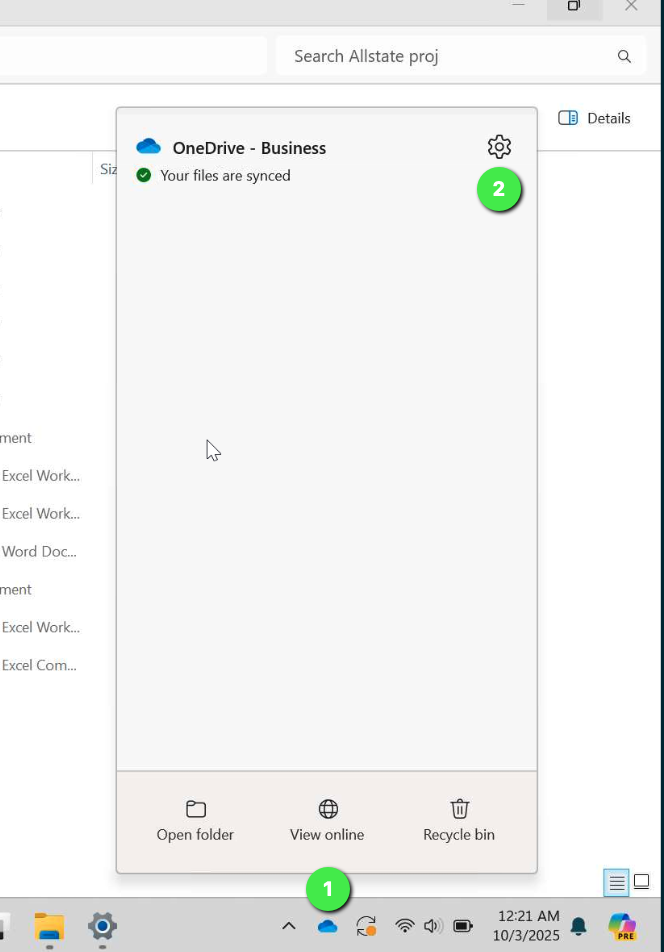
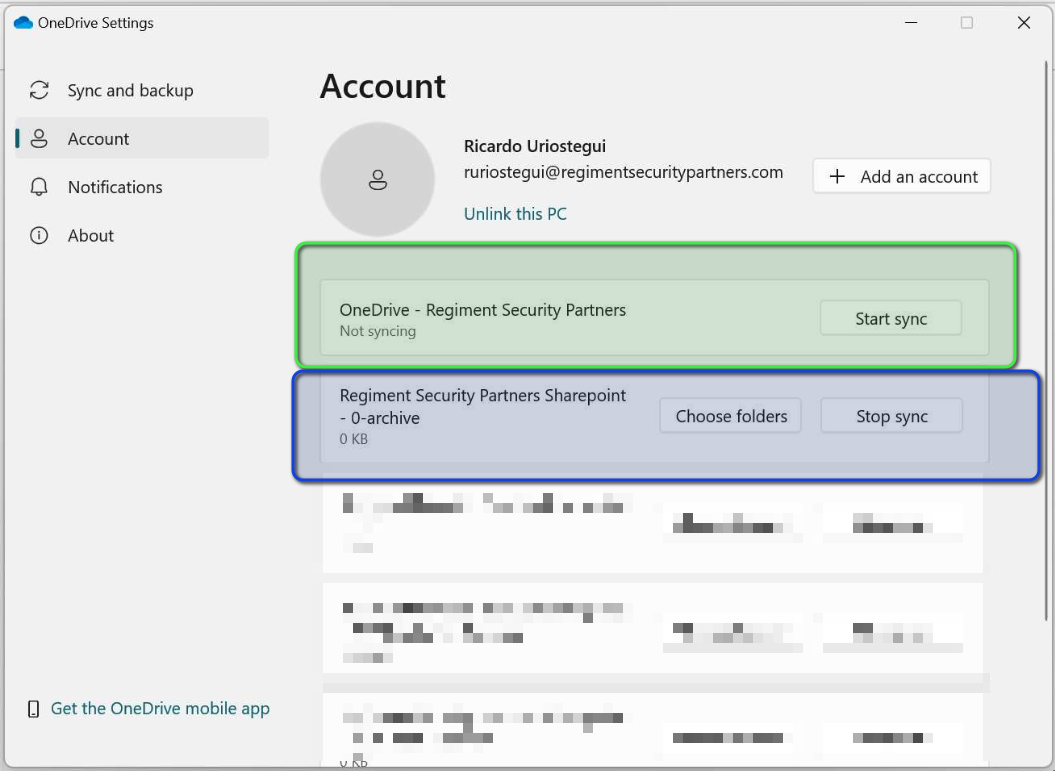
2. Click on Start Sync if not already syncing
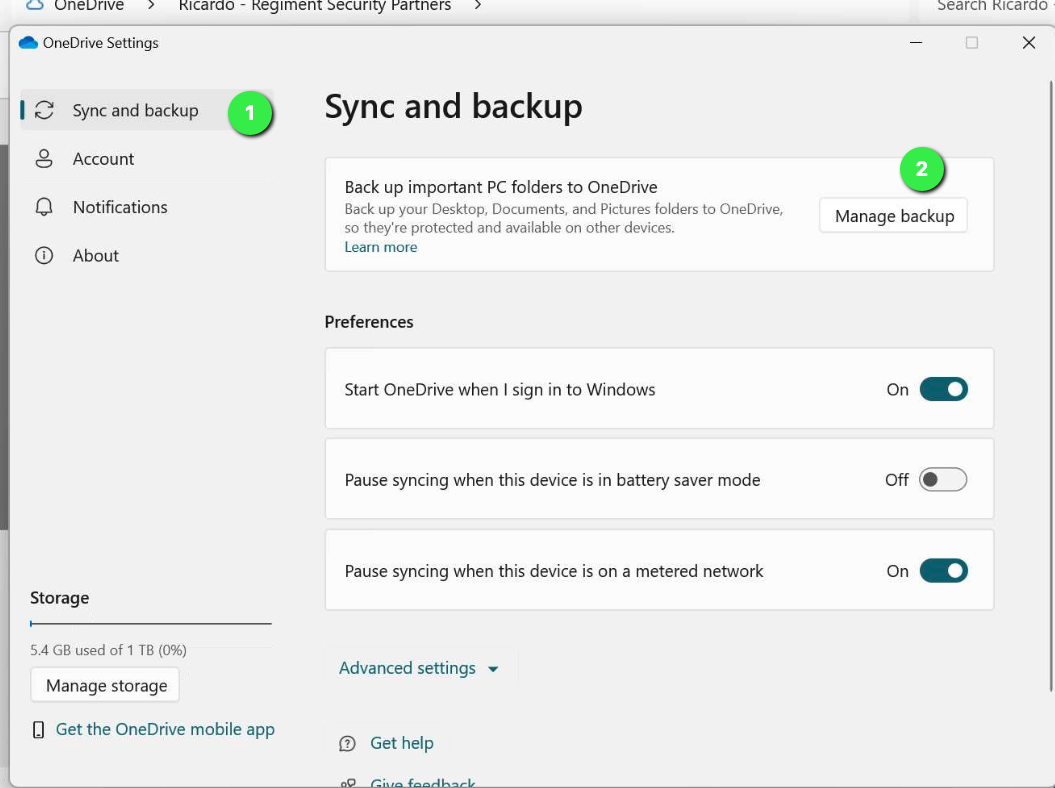
3. Click on Sync and Backup (1).
4. Click Manage Backup (2).
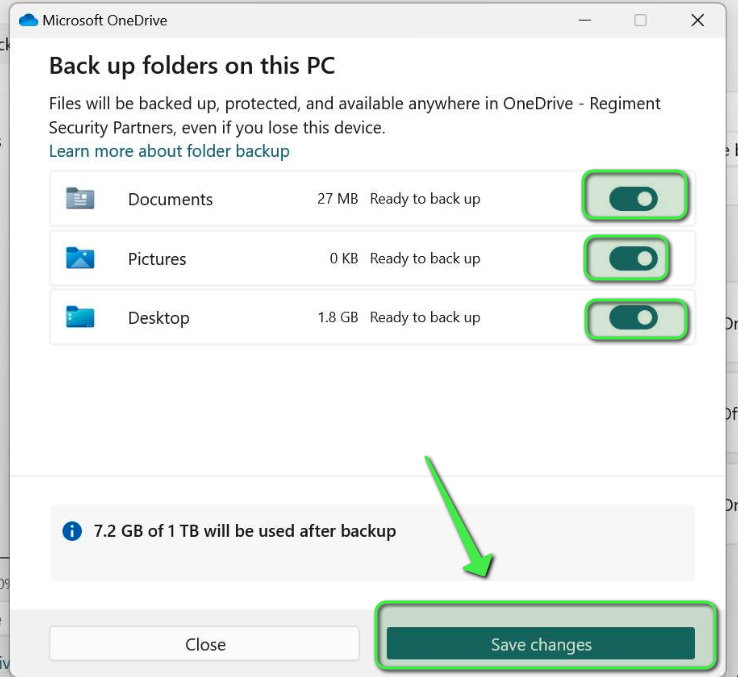
5. This window will appear, select all options:
6. Back up will begin, click this to view progress: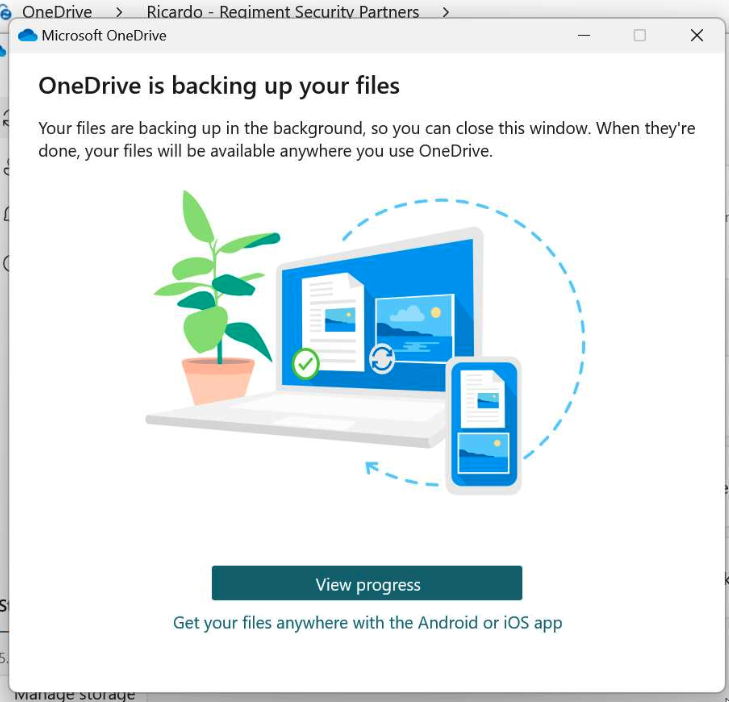
Click the OneDrive icon again. You will notice that the upload is starting.
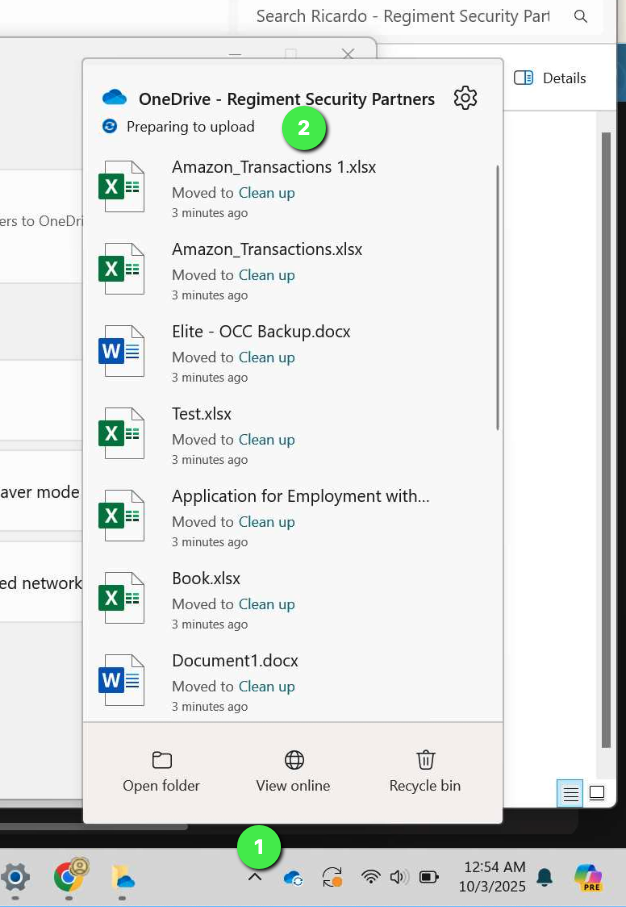
Verify Backup Completeness
Check OneDrive sync icons:
✅ Blue cloud = synced to cloud.
? Arrows = still syncing.
❌ Red X = conflict/error.
Was this article helpful?
That’s Great!
Thank you for your feedback
Sorry! We couldn't be helpful
Thank you for your feedback
Feedback sent
We appreciate your effort and will try to fix the article